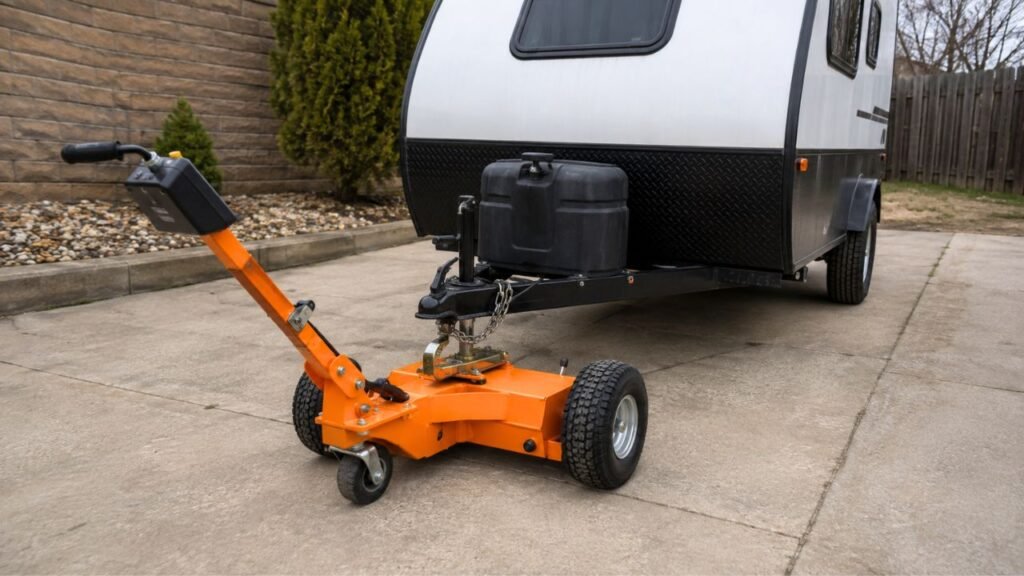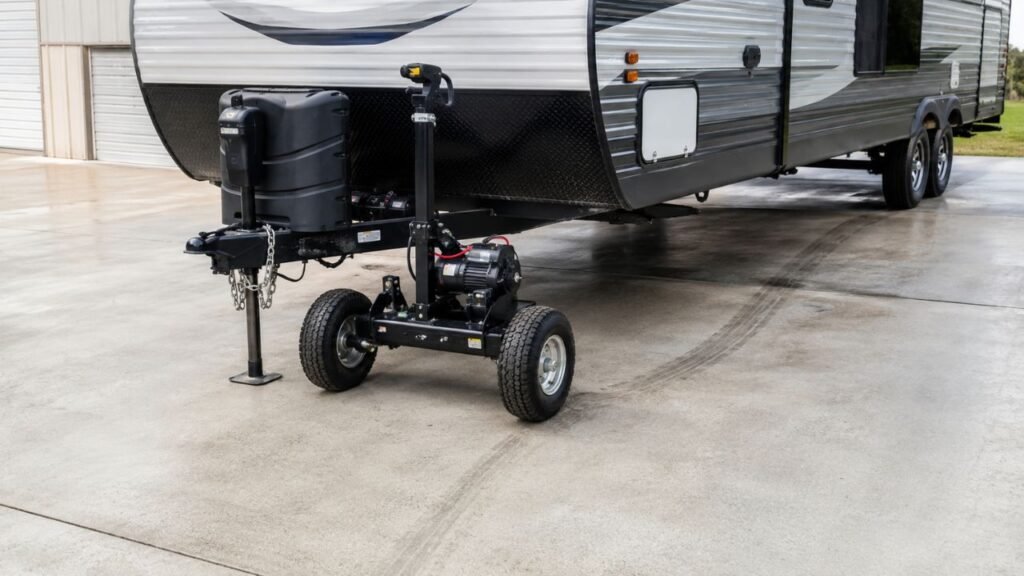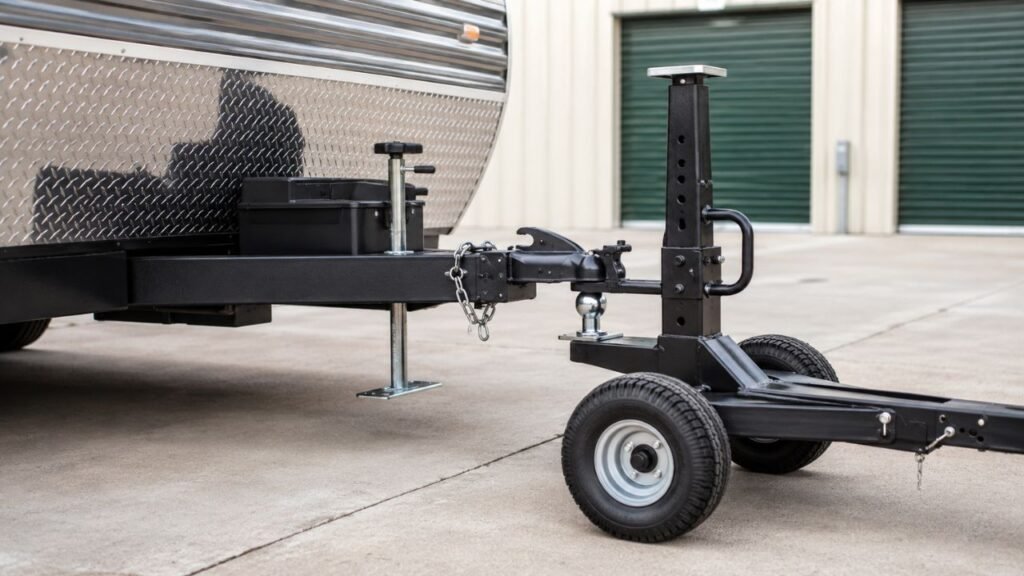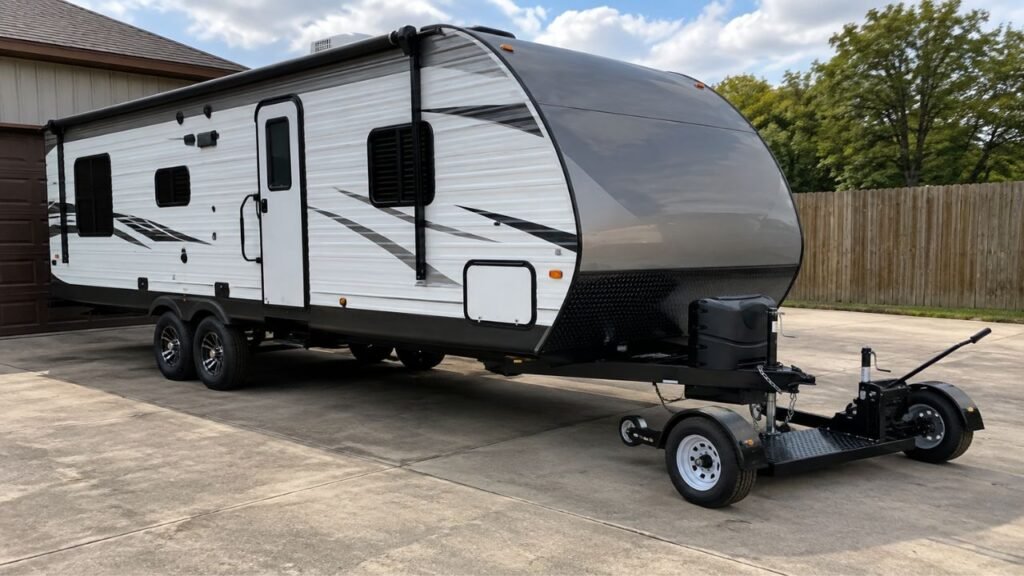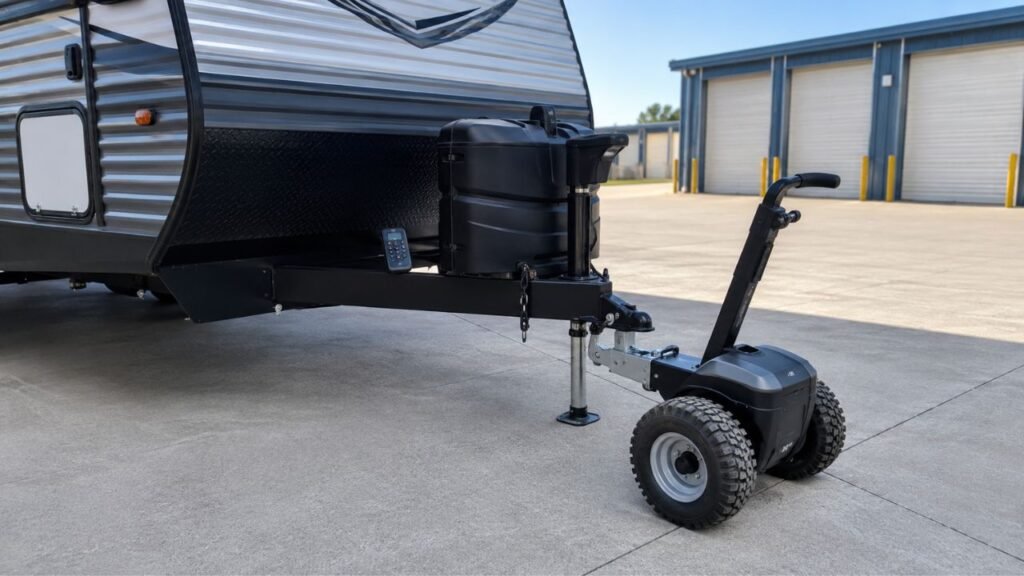
Your electric trailer dolly remote may stop responding because of weak batteries, lost pairing, low dolly power, signal interference, a blown fuse, loose electrical connections, or a faulty receiver. Start with the remote battery and dolly power before assuming an expensive component has failed.
In this guide, I’ll help you narrow down the problem step by step. We’ll start with the easiest checks, then move toward pairing, wiring, receiver, and controller problems.
Key Takeaways
- Replace or recharge the remote battery before deeper troubleshooting.
- Make sure the dolly battery is charged and switched on.
- Restart both devices before attempting a complete remote re-pairing.
- Pairing procedures differ between electric trailer dolly brands.
- Poor range can come from weak batteries or wireless interference.
- Inspect fuses, terminals, and visible wiring if communication problems continue.
- Stop troubleshooting if wiring overheats or the dolly behaves unpredictably.
Quick Diagnosis: What Is Your Dolly Doing?
The way your dolly behaves can tell you where to begin. Use this table before taking anything apart or replacing expensive components.
| What You Notice | Likely Area to Check | What to Try First |
| Remote has no light | Remote battery or charging | Install fresh batteries or recharge it |
| Remote works but dolly is completely dead | Dolly power system | Check battery, power switch, and fuse |
| Both devices have lights but nothing moves | Pairing or receiver | Restart and check pairing |
| Remote only works very close to the dolly | Weak battery or signal issue | Replace battery and move closer |
| Dolly responds only sometimes | Connection or interference | Check terminals, range, and nearby electronics |
| One remote button does not work | Worn button or remote fault | Inspect the remote for damage |
| Remote stopped working after storage | Discharged battery or lost pairing | Recharge everything and restart |
| Replacement remote does nothing | Compatibility or pairing | Verify model compatibility and synchronize it |
How to Fix an Electric Trailer Dolly Remote That Is Not Responding
Start with the simplest checks before opening covers or testing electrical components. Secure the trailer first, chock the wheels, and keep the dolly stationary while troubleshooting.
1. Check the Remote Battery or Charge First
I would always start with the remote itself.
A remote can still flash a light while having insufficient battery power. That can make the problem confusing because the remote appears functional.
If your remote uses replaceable batteries, install a fresh set. Make sure they face the correct direction inside the battery compartment.
Do not assume recently installed batteries are automatically good. Batteries can lose charge during storage or sit on shelves for months.
If your remote is rechargeable, charge it fully before testing again. Give it enough time to reach a proper charge.
Also inspect the battery contacts inside the remote. Look for corrosion, dirt, moisture, or bent contacts.
Clean light contamination carefully according to the manufacturer’s instructions. Serious corrosion may require replacement of the remote.
Remember that different dollies use different remote batteries. Check your manual instead of guessing the required battery type.
2. Make Sure the Dolly Itself Has Power
Sometimes the remote is working perfectly, but the dolly cannot respond.
Check the main dolly battery before doing anything more complicated. Make sure it has enough charge to operate the motors and receiver.
Look at the battery indicator if your model provides one.
Next, confirm that the main power switch is actually turned on. Some dollies also have a battery disconnect or isolation switch.
If your model includes an emergency-stop switch, verify its normal operating position. An activated safety switch can prevent the dolly from responding.
Try turning the dolly off completely. Wait several seconds, then restart it normally.
If you hear no relay sound, see no indicator, and get no response, the problem may be on the dolly side rather than the remote.
3. Wake the Remote and Dolly After Automatic Shutdown
Some electric trailer dollies automatically shut down after inactivity.
That feature helps protect the battery and prevents unintended movement. However, it can also make a working remote appear unresponsive.
Turn off the remote and dolly completely.
Wait several seconds before restarting both devices. Follow the normal startup sequence listed for your model.
Some systems require the dolly to power on before the remote. Others use a different sequence.
Avoid repeatedly pressing every remote button during startup. Give the system time to establish communication.
Once both devices are awake, test one simple movement command.
If the dolly responds normally afterward, sleep mode was likely the problem.
4. Re-Pair the Remote With the Dolly
If both devices have power but cannot communicate, pairing may be lost.
Pairing simply means the remote and receiver recognize each other. If that connection disappears, the remote cannot control the dolly.
This can happen after battery replacement, long storage, controller replacement, or certain electrical interruptions.
Before pairing, restart both devices once. A normal power cycle can sometimes restore communication without resetting anything.
If that fails, find the pairing procedure for your exact model.
Do not copy pairing instructions from another trailer dolly. Manufacturers use different button combinations, timing sequences, and indicator patterns.
Some systems arrive paired from the factory. Others may require synchronization after replacing the remote.
Follow each step exactly and watch the status lights carefully.
If pairing repeatedly fails with fully charged batteries, continue troubleshooting before purchasing another remote.
5. Move Closer and Rule Out Signal Interference
Wireless remotes have a limited operating range.
If your dolly works nearby but stops responding farther away, test the remote from a shorter distance.
Stand several feet from the dolly and maintain a clear line of sight.
Large metal objects can sometimes reduce wireless performance. Trailers themselves contain plenty of metal that can affect signal direction.
Nearby electronics may also contribute to interference on certain systems.
Move smartphones, wireless accessories, and other unnecessary electronics away while testing.
You can also move the dolly to another location when practical. If performance improves dramatically, the original area may have interference.
Do not rely on one advertised operating range for every dolly. Range varies by remote design, receiver, surroundings, and battery strength.
If range has suddenly become much shorter, replace or recharge the remote battery first.
6. Check the Dolly Battery Connections and Fuse
If power seems inconsistent, inspect the main electrical connections.
Turn the dolly off before touching battery terminals or electrical connectors.
Start with the positive and negative battery terminals. They should feel secure and show no heavy corrosion.
Loose terminals can interrupt power when the dolly vibrates or moves.
Check accessible wiring connectors for looseness, dirt, or visible damage. Look for crushed wires, exposed copper, or damaged insulation.
Next, inspect the appropriate fuse if your dolly uses one.
A blown fuse can stop the receiver or controller from receiving power.
Replace a blown fuse only with the correct manufacturer-specified type and rating.
Never install a larger fuse because the original keeps blowing.
A fuse that fails repeatedly usually indicates another electrical problem. At that point, professional diagnosis is safer.
7. Inspect the Remote for Physical or Water Damage
A remote spends plenty of time getting dropped, stored, and handled outdoors.
Check the housing for cracks or loose sections.
Look closely at the directional buttons. They should press normally and return to their original position.
A button that feels stuck, unusually soft, or difficult to press may have worn internal contacts.
Check the battery compartment for moisture or leakage.
Water inside electronic controls can cause intermittent operation before complete failure.
If the remote was recently dropped, test every command separately.
For example, forward movement may work while reverse does not. That can point toward a damaged button rather than a receiver problem.
Avoid opening sealed remotes unless the manufacturer specifically allows user service.
8. Test Again Before Assuming the Receiver Has Failed
Receiver failure is possible, but it should not be your first conclusion.
Before blaming the receiver, confirm several simpler things.
Make sure the remote has fresh batteries or a full charge.
Confirm the dolly battery is charged.
Check that the main switch and safety controls are correctly positioned.
Inspect accessible fuses and battery terminals.
Restart both devices and attempt the correct pairing procedure.
Test from close range without unnecessary electronics nearby.
If all those checks pass and communication still fails, the receiver or controller becomes a stronger possibility.
At that stage, manufacturer support can often confirm the next diagnostic step.
What Do the Remote Lights and Beeps Mean?
Remote indicators can provide useful clues during troubleshooting. However, their exact meanings vary between manufacturers, so use them as clues rather than universal error codes.
- No remote light: The battery may be dead or installed incorrectly.
- Very dim light: The remote battery may be weak.
- Normal light but no dolly response: Check dolly power and pairing.
- Repeated flashing: The remote may be searching for the receiver.
- Flashing during pairing: The system may be entering synchronization mode.
- Dolly light but no remote connection: Pairing or receiver communication may have failed.
- Warning beep: Check the manual before continuing operation.
Do not assume every blinking light means a pairing problem. Some models use blinking patterns for low battery or other conditions.
Why Does My Trailer Dolly Remote Work Only Sometimes?
Intermittent remote operation is often more frustrating than complete failure.
If the dolly works one minute and stops the next, start with both batteries. A weak remote battery or low dolly battery can create inconsistent performance.
Then inspect the battery terminals and accessible connectors. Movement and vibration can expose a connection that is only partially secure.
Other possible causes include:
- Weak remote batteries.
- Low main dolly battery charge.
- Loose battery connections.
- Corroded terminals.
- Excessive distance from the receiver.
- Wireless interference.
- Worn remote buttons.
- Damaged wiring.
- Receiver or controller problems.
Notice when the failure happens.
If the remote always fails at longer distances, suspect range or battery strength.
If the dolly cuts out while moving, inspect main power connections more carefully.
How to Tell Whether the Problem Is the Remote or the Dolly
Separating a remote problem from a dolly problem can save unnecessary replacement costs. Look at how both parts behave rather than focusing only on the remote.
Signs the Remote May Be the Problem
The remote becomes more suspicious when it shows no indicator after installing fresh batteries.
Physical damage is another strong clue.
Buttons that stick, require excessive pressure, or work inconsistently may have worn contacts.
Very short operating range can also point toward the remote battery or transmitter.
If another confirmed compatible remote controls the dolly normally, the original remote is likely responsible.
Signs the Dolly or Receiver May Be the Problem
Look toward the dolly when the remote behaves normally but the unit shows no power.
A main battery that will not charge properly can prevent receiver operation.
A fuse that repeatedly blows also indicates a dolly-side electrical problem.
Visible wiring damage, burned connectors, or water inside electrical areas require attention.
If multiple compatible remotes fail to communicate, the receiver or controller becomes more suspicious.
Signs You May Have a Pairing Problem
Pairing is more likely when both the remote and dolly power on normally.
The remote may show normal lights while the dolly completely ignores commands.
Pairing problems can also appear after replacing either the remote or controller.
Long-term storage or battery disconnection may sometimes contribute.
If the receiver enters pairing mode successfully, follow the exact synchronization procedure.
Can a Weak Dolly Battery Make the Remote Seem Broken?
Yes. A weak main battery can make a perfectly good remote appear faulty.
The remote only sends commands. The dolly still needs enough power to receive those commands and operate its controller and motors.
A battery can also show some voltage while struggling under load.
That means indicator lights may appear normal even though the motors cannot operate properly.
If the dolly has been stored for months, recharge its battery fully before diagnosing the remote.
Pay attention to slow movement, clicking, dim indicators, or sudden shutdowns.
Those symptoms can indicate a main battery issue rather than wireless failure.
Can Wi-Fi or Other Electronics Interfere With a Trailer Dolly Remote?
Wireless interference is possible, although it should not be your first assumption.
Some trailer dolly remotes operate on radio frequencies also used by other wireless equipment.
Heavy interference may reduce range or create inconsistent communication.
However, weak batteries, excessive distance, and poor electrical connections are more common causes.
Test the remote close to the dolly first.
Move away from routers, wireless accessories, and other transmitting equipment when practical.
If the remote suddenly works normally elsewhere, interference may have contributed.
Do not start replacing receiver components until simpler causes have been eliminated.
What If a Replacement Trailer Dolly Remote Does Not Work?
Replacement remotes are not always ready to operate immediately. Compatibility and pairing should both be confirmed before assuming the new remote is defective.
Check Model Compatibility First
Two remotes can look almost identical while using different internal programming.
Make sure the replacement specifically supports your dolly model and generation.
Model numbers matter when manufacturers update controllers or receiver systems.
Whenever possible, match the replacement using the dolly’s exact model information.
Pair the Replacement Remote
Many replacement remotes must be synchronized with the existing receiver.
Installing batteries and pressing buttons may not be enough.
Follow the pairing instructions supplied for your specific dolly.
Watch the receiver and remote indicator lights during synchronization.
If pairing fails, restart both devices and repeat the procedure carefully.
Do Not Assume Universal Remotes Will Work
A generic wireless remote is not automatically compatible with a trailer dolly.
The receiver must recognize the remote’s communication system.
Using an unsupported remote can waste time and complicate troubleshooting.
Choose a replacement approved for your dolly whenever possible.
If you are uncertain, confirm compatibility before ordering one.
When Should You Stop Troubleshooting and Contact the Manufacturer?
Most battery and pairing problems are manageable at home. Certain symptoms, however, point toward faults that deserve professional attention.
Stop troubleshooting and contact the manufacturer or qualified technician when:
- The correct replacement fuse immediately blows again.
- Electrical wiring or connectors become unusually hot.
- You smell burning plastic or electrical insulation.
- The receiver or controller shows visible damage.
- Water has entered sealed electronic components.
- The dolly refuses to enter pairing mode.
- Pairing repeatedly fails with fresh batteries.
- Multiple compatible remotes cannot control the dolly.
- The motors start or stop unpredictably.
- The dolly moves without the intended remote command.
- Repairs require opening sealed electrical components.
- The unit remains covered by its warranty.
Unexpected movement is especially important. Stop using the dolly until the control problem is resolved.
How to Prevent Electric Trailer Dolly Remote Problems
A few simple habits can prevent many remote problems. They also make troubleshooting much easier when something eventually goes wrong.
- Test the remote before connecting and moving your trailer.
- Keep spare remote batteries available when your model uses them.
- Recharge rechargeable remotes before long trips or storage.
- Maintain the dolly’s main battery according to its manual.
- Keep battery terminals clean and securely tightened.
- Store the remote somewhere dry and protected.
- Protect the remote from drops, moisture, and direct weather exposure.
- Remove replaceable batteries during extended storage when recommended.
- Keep your model’s pairing instructions with the dolly.
- Use compatible replacement remotes and electrical components.
- Check remote operation after long storage periods.
- Inspect visible wiring whenever you perform routine dolly maintenance.
Final Words
When an electric trailer dolly remote stops responding, avoid jumping straight to receiver replacement.
Start with the remote battery, then confirm the dolly has power. Restart both devices before checking the proper pairing procedure.
After that, test the remote at close range and inspect accessible terminals, connectors, and fuses.
That troubleshooting order solves the simplest possibilities first and reduces unnecessary parts replacement.
If the remote and dolly both appear healthy but still cannot communicate, the receiver or controller may need professional diagnosis. Stop immediately if the dolly moves unpredictably or shows signs of an electrical fault.
Related FAQs
Why Is My Electric Trailer Dolly Remote Light Blinking but Nothing Moves?
A blinking remote can mean the transmitter has power but is not communicating properly with the receiver. Check the dolly battery, restart both devices, move closer, and follow your model’s pairing instructions before assuming the remote has failed.
How Do I Reset an Electric Trailer Dolly Remote?
Reset procedures vary by manufacturer and model. Usually, you will power down both the remote and dolly before following a specific button sequence. Use the instructions for your exact model because there is no universal reset procedure.
How Do I Re-Pair My Trailer Dolly Remote?
First, fully charge the dolly and install fresh remote batteries if needed. Then place the dolly into its required pairing mode and complete the manufacturer’s synchronization sequence. Button combinations and timing vary between models.
Why Does My Trailer Dolly Remote Work Only at Close Range?
A weak remote battery is one of the first things to check. Radio interference, large metal obstacles, receiver problems, or a damaged transmitter can also reduce operating range. Test again with fresh batteries and from a clear position.
Can a Low Dolly Battery Stop the Remote From Working?
Yes. The remote may transmit normally while the dolly battery lacks enough power for its receiver, controller, or motors. Fully recharge the main battery before diagnosing more expensive electrical components.
How Do I Know if My Trailer Dolly Receiver Is Bad?
Receiver trouble becomes more likely when the remote and dolly batteries are good, fuses and connections are intact, correct pairing repeatedly fails, and another compatible remote also cannot control the dolly. Professional testing may still be needed for confirmation.
Can I Buy a Replacement Remote for an Electric Trailer Dolly?
Replacement remotes are available for many electric trailer dollies, but they must match the correct model and receiver system. Check compatibility carefully and expect some replacements to require pairing before they will work.
Why Did My Trailer Dolly Remote Stop Working After Storage?
Long storage can discharge both remote and dolly batteries. Battery contacts may also corrode, and some systems may require restarting or re-pairing. Recharge the dolly, install fresh remote batteries, inspect the contacts, and test again.

Jack Collins specializes in RV routes, trail access, and travel logistics. His how-to articles help RV and trailer owners plan smoother trips and avoid common mistakes. Every review focuses on performance, safety, and value.